
T-Mobile® FamilyMode™
T-Mobile USAParenting
4.41.84K Reviews
- Version
- 4.2.2
- Installs
- 500.00K
- Age Rating
- Everyone
Screenshots
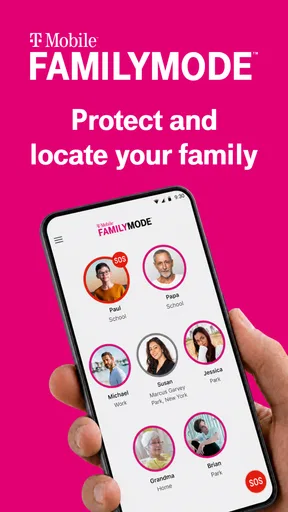
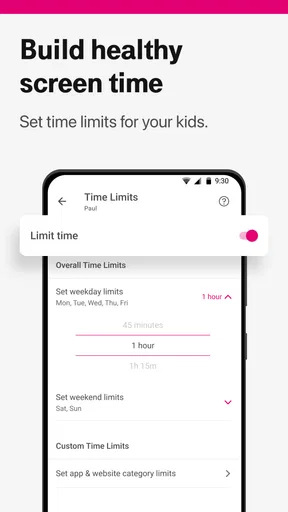
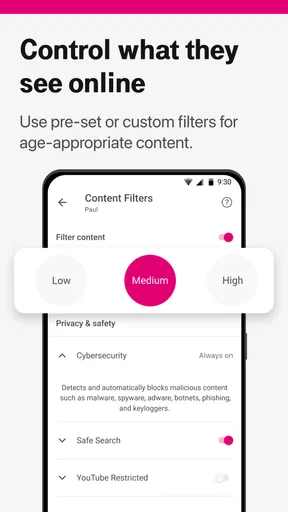
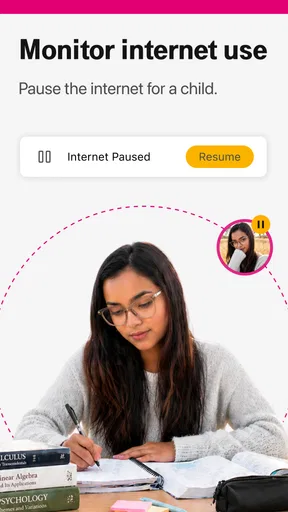
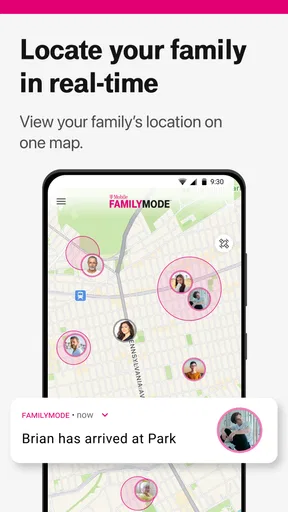
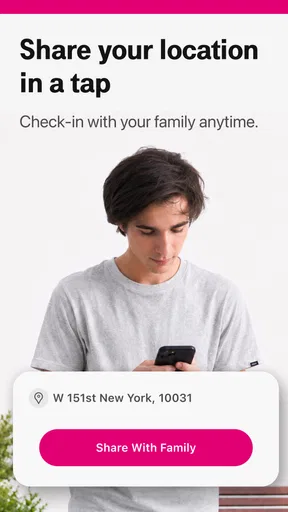
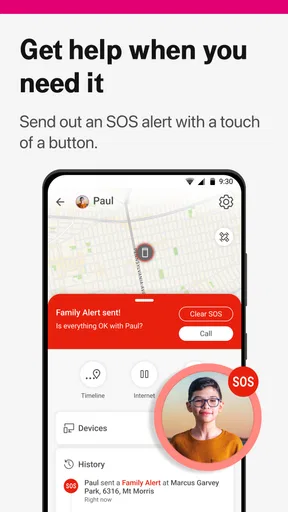
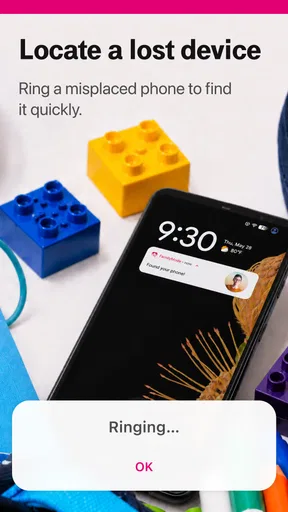
Our Review of T-Mobile® FamilyMode™
 Analysis by Appyee
Managing a child’s phone is rarely about one dramatic rule. In my experience, the harder part is keeping everyday digital life understandable when several people share a home, different ages use different devices, and expectations change from one situation to another. T-Mobile® FamilyMode™ is a free parenting app from T-Mobile USA that is designed for that kind of household coordination. It helps parents organize how their family uses connected devices at home and while away, rather than treating digital supervision as a one-time conversation.
I approached it as a practical household tool, not as a magic solution to every online safety concern. That distinction matters. A family-management app can make routines clearer and reduce repeated arguments, but it still depends on adults agreeing on boundaries and children understanding why those boundaries exist. FamilyMode is most useful when it becomes part of that agreement instead of being used as a hidden replacement for communication.
How FamilyMode fits into a shared household
The app belongs in the parenting category, and that description feels more accurate than calling it a general device utility. Its purpose is family organization: helping adults manage the digital lives of people in the household whether they are connected through the home network or using devices elsewhere. That broad setting is important because children do not stop using phones when they leave the living room.
A realistic example would be a weekday evening. One child is finishing homework, another wants to play online, and a parent is trying to keep dinner from turning into a collection of glowing screens. The useful role of FamilyMode in that moment is not simply “block everything.” It is giving the household a shared framework for deciding when connected use fits the routine and when it does not. The value comes from consistency: the same family expectations can guide home use and time spent out of the house.
This is also where the app differs from relying only on the controls built into each phone. Individual operating-system tools can be helpful, but they often leave parents managing several settings in several places. FamilyMode is aimed at the family as a unit, which makes it a better fit for parents who want one household-oriented approach instead of a collection of unrelated device menus.
That does not mean it will suit every family. If everyone in the home already follows clear rules and each person is comfortable managing their own device settings, adding another layer may feel unnecessary. It is more compelling when the household has multiple users, changing routines, or frequent disagreements about when and where devices should be used.
What I would clarify before installing it
The most important first step is deciding what problem you want to solve. “My child uses the phone too much” is too vague to guide a good setup. A clearer goal might be reducing interruptions during homework, making bedtime expectations easier to follow, or creating a consistent approach for devices used outside the home. Those goals lead to better conversations and prevent the app from becoming a collection of arbitrary restrictions.
I would also separate household rules from personal privacy. A parent may need a way to coordinate device use, but that does not automatically mean every part of a child’s digital life should be treated as open for inspection. FamilyMode works best when adults explain the purpose of the arrangement and discuss what the child can expect. That approach is especially important with older children, who may accept reasonable boundaries but resist controls that feel secretive or excessive.
Because this is a T-Mobile USA product, the household should also think about how it fits with its existing mobile setup. The app is not something I would choose blindly just because it is free. I would first make sure the family understands which devices and users it intends to manage, who will be responsible for administration, and whether everyone agrees on the basic routine. A little planning here prevents confusion later.
Setup is really about boundaries
The technical installation is only one part of getting started. The more meaningful setup decision is defining the adult account boundary: who is responsible for changing family rules, and who is simply following them. In a shared household, unclear responsibility can create friction. If two adults make different changes without discussing them, children may receive mixed messages and lose confidence in the system.
I recommend choosing one primary organizer and agreeing on a simple backup process. This is not about giving one person unlimited authority; it is about avoiding a situation where nobody knows why a setting changed. A short family conversation before activation can cover the basics: when devices are expected to be put away, which situations require flexibility, and how a child can ask for an exception.
That last point is easy to overlook. Real life does not follow a perfect schedule. A school project may run late, travel may alter the normal routine, or a child may need to contact someone unexpectedly. Any family-control arrangement becomes frustrating when it cannot accommodate reasonable changes. I would treat the first week as a trial period for learning where the household needs flexibility, not as a test of whether children can be controlled perfectly.
Another practical tip is to begin with the smallest useful boundary. If the immediate issue is late-night distraction, start by addressing that routine instead of changing every aspect of device use at once. A narrow, understandable rule is easier to explain and easier to evaluate. Once the family sees whether it helps, adults can decide whether broader coordination is worthwhile.
Parents should also remember that an app cannot repair a confusing home rule. If one adult allows unrestricted use while another imposes strict limits, the problem is coordination between adults, not a missing setting. FamilyMode can support a shared plan, but it cannot create agreement where none exists.
Coordinating home and away-from-home use
The strongest idea behind this app is continuity. Children move between Wi-Fi at home, school, friends’ houses, and mobile connections. A household plan that only applies in one location can feel arbitrary, especially when parents are trying to establish habits rather than punish particular places. FamilyMode is built around managing digital life at home or while on the go, so it is more relevant than a tool limited to a single home network.
That makes it useful for families with changing schedules. A parent may want a calmer device routine during a school evening, while a child needs more independence during a weekend away. The important trade-off is that consistency should not become rigidity. I would use the app to support predictable expectations, then leave room for adults to explain exceptions rather than forcing every day into exactly the same pattern.
Coordination also means agreeing on language. Instead of saying, “The app says no,” I think it is healthier to say, “This is the family rule for this part of the day.” That small change keeps responsibility with the adults and makes the technology a tool rather than an authority figure. It also gives children a clearer reason to discuss a rule if it no longer fits their age or circumstances.
For shared devices, the household should be especially careful about whose experience is being managed. A tablet used by a younger child and an older sibling may not fit one uniform expectation. The adult needs to know which person a rule is intended to support. Treating a shared screen as though it belongs to only one age group can create unnecessary restrictions for one user or insufficient structure for another.
This is one of the app’s practical limitations as a concept: family management is more complicated when devices are shared. The parent has to think in terms of people, routines, and context, not only hardware. If the household has many shared screens and frequent handoffs, the app may require more attention than a simple one-child, one-device arrangement.
Age, trust, and the right level of involvement
FamilyMode carries an Everyone age rating, but that does not mean every family should use it in exactly the same way. A young child may need direct guidance and a very clear routine. A teenager may need more explanation, negotiation, and gradual independence. The app can sit inside both approaches, but the parent’s communication style should change as the child grows.
With younger children, I would focus on predictable habits: when a device is used, where it is kept, and how the child asks for help. With older children, I would make the boundaries explicit and review them together. The goal is not to keep the settings unchanged forever. It is to use them as scaffolding while a child develops judgment about attention, privacy, and appropriate use.
Trust is not the same as unlimited access. A parent can believe a child is generally responsible and still want household rules around sleep, schoolwork, or shared family time. Conversely, strict controls do not automatically create responsibility. If the child never understands the reason for a restriction, removing it later may leave them unprepared. In my view, the best use of FamilyMode is transparent and gradual: explain the rule, observe whether it helps, and revisit it as circumstances change.
Parents should also avoid presenting the app as a substitute for talking about online behavior. Device scheduling and household coordination can reduce some conflicts, but they do not teach a child how to respond to pressure, recognize an uncomfortable interaction, or decide what should remain private. Those conversations still belong to the family. The app is strongest when it handles routine structure while adults handle judgment and support.
A useful workflow is to set a review date with the family, perhaps after everyone has had enough time to experience the routine in normal conditions. Ask practical questions: Did homework become easier? Did the rule interfere with necessary communication? Did the child understand what was expected? Did adults apply the arrangement consistently? These questions reveal more than simply checking whether a setting was enabled.
How it compares with familiar alternatives
The most obvious alternatives are the controls already included with Android or iOS, plus separate tools from other family-safety providers. Built-in controls can be attractive because they are close to the device and may be enough for a parent managing one phone. Their weakness is fragmentation when a household uses several devices, different platforms, or changing locations.
FamilyMode’s household focus is its reason to exist. I would consider it when the family wants a coordinated approach rather than separate rules maintained on each device. That is particularly relevant for parents who want the same general expectations to follow a child beyond the home network. The trade-off is that a family-centered system may feel like extra administration if the household is small, technically confident, and already satisfied with native controls.
Compared with a conversation-only approach, the app offers more structure. A spoken rule can be forgotten or interpreted differently by different people, while a managed routine can make expectations more visible. But conversation-only parenting has one advantage that no control screen can replace: it adapts naturally to context. If a child is traveling, studying for an important exam, or dealing with an unusual situation, a parent can respond with judgment rather than relying on a preset arrangement.
I would therefore avoid choosing FamilyMode as a universal answer. It makes sense for families that need coordination across people and places. It is less convincing for adults seeking highly specialized monitoring, detailed security analysis, or a tool focused on one particular platform. In those cases, a more specialized alternative may be a better match, provided the family is comfortable with its complexity and approach to privacy.
Everyday friction I noticed in the overall approach
The first source of friction is maintenance. Family life changes quickly, and a rule that made sense during one school term may be inconvenient during holidays or activities. Any parent who installs the app should expect to revisit the arrangement instead of assuming the initial setup will remain perfect. That is not a flaw unique to this product, but it is an important cost of using digital structure.
The second is emotional. Children can experience family-management tools as surveillance even when the parent’s intention is simply to protect sleep or reduce distraction. The solution is not to hide the tool. Explaining what the family is trying to accomplish, and allowing reasonable discussion, makes the arrangement more sustainable. If a child feels every device interaction is being treated as suspicious, the app may increase conflict rather than reduce it.
The third is household complexity. A family with different ages, shared tablets, multiple adults, and irregular schedules has more exceptions to manage than a simple household with one child and one personal phone. FamilyMode can still be useful, but the adults need to keep the system understandable. Too many overlapping rules can make the app feel like work for everyone.
There is also a broader limitation: no family-control app can guarantee good digital decisions. A child may follow a schedule and still encounter unsuitable content or poor social situations. Parents should view FamilyMode as one layer of guidance, alongside age-appropriate conversations, device security, and attention to the child’s actual behavior. The app should support parenting, not become the only parenting strategy.
Who should try it and who should skip it
I would recommend trying FamilyMode to a T-Mobile household that wants a central parenting-oriented approach to connected-device routines, especially when children use devices both at home and away. It is a sensible candidate for families tired of repeating the same reminders or managing disconnected settings on several screens. The fact that it is free lowers the barrier to testing whether this style of coordination suits the household.
Its public reception is encouraging: it holds a 4.4 average from around 7.8 thousand ratings, with more than 500 thousand installs. Those figures suggest that many people find the general idea useful, although popularity alone should not decide whether it fits your family. The app is currently at version 4.2.2 and supports operating systems from version 9 onward, so compatibility is worth checking across the devices you plan to include.
I would skip it if your family already has a simple, trusted routine and nobody wants another management layer. I would also look elsewhere if your main requirement is a very specialized form of supervision rather than household coordination. In that situation, a tool designed around your exact need may offer a better experience than trying to make a broad family app do everything.
My household verdict
After considering how it fits into real routines, I see T-Mobile® FamilyMode™ as a practical coordination tool rather than an all-purpose digital safety system. Its best quality is the way it frames device use as a household matter that can continue beyond the home. That is more useful than a rule that only works in one room or on one screen.
I would introduce it with a clear purpose, one responsible adult organizer, and a short list of understandable expectations. I would not install it secretly, pile on every possible restriction, or assume the first setup will remain right forever. The most effective result is likely to come from combining the app’s structure with regular conversations about age, trust, exceptions, and growing independence.
For a family that needs shared boundaries across changing locations, this free parenting app is worth considering. For a household that wants deep specialized monitoring or has already solved its routines with built-in controls, it may add more administration than value. My final judgment is positive but conditional: FamilyMode is most helpful when it organizes an agreed family plan, not when it is expected to replace one.
Privacy and Permissions
See what permissions an app requests and how it handles your data.
- Identity
- find accounts on the device
- Contacts
- find accounts on the device, read your contacts, modify your contacts
- Location
- approximate location (network-based), precise location (GPS and network-based)
- Phone
- directly call phone numbers, read phone status and identity
- Photos/Media/Files
- read the contents of your USB storage, modify or delete the contents of your USB storage
- Storage
- read the contents of your USB storage, modify or delete the contents of your USB storage
- Camera
- take pictures and videos
- Microphone
- record audio
- Wi-Fi connection information
- view Wi-Fi connections
- Device ID & call information
- read phone status and identity
- Other
- view network connections, pair with Bluetooth devices, change network connectivity, connect and disconnect from Wi-Fi, full network access, run at startup, draw over other apps, control vibration, prevent device from sleeping
Verdict
Strengths of T-Mobile® FamilyMode™
- Parental controls work across connected home Wi‑Fi devices.
- Location sharing can help families coordinate during daily activities.
- Custom schedules make it easy to set device-free times.
- Parents can pause internet access remotely when needed.
- Supports family rules for multiple children and devices.
Limitations of T-Mobile® FamilyMode™
- Some features may require a compatible T‑Mobile plan or gateway.
- Location tools depend on phone permissions, battery, and cellular coverage.
- Children may find monitoring features intrusive or restrictive.
- Advanced controls can take time to configure for larger families.
- App usefulness is limited for devices outside the managed network.
Other Releases by T-Mobile USA
View All
T-Mobile Visual Voicemail
Communication3.1

T-Life
Lifestyle4.6

Protection 360®
Business4.4

T-Mobile Prepaid eSIM
Communication3.5
Similar Picks in This Category
View All
Family Space
Motorola Mobility LLC.3.9

شرطة الأطفال - مكالمة وهمية
Oub Apps4.1

Findmykids: Parental Control
LETEM LTD4.6

Pregnancy + | Tracker App
Philips Electronics UK Limited4.8

Policía de niños - para padres
Kids police4.7

Pregnancy App
Amila4.9
Frequently Asked Questions
What is T-Mobile FamilyMode and what does it do?
T-Mobile FamilyMode is a parental-control service designed to help families manage connected devices and children’s digital habits. Depending on the plan and compatible equipment, parents can set internet schedules, pause access, create content filters, view basic usage information, and manage devices connected through the family network. It is intended to support healthy routines rather than replace conversations about online safety.
Which devices and connections are compatible with T-Mobile FamilyMode?
Compatibility can depend on your T-Mobile plan, the FamilyMode service version, and the devices used by your household. The app is generally designed to manage supported smartphones, tablets, and home Wi-Fi connections, but some controls may work differently on Android, iPhone, or other connected devices. Before downloading, check T-Mobile’s current compatibility list and account requirements.
Can children bypass FamilyMode’s parental controls?
FamilyMode can provide useful controls, but no parental-control application is completely impossible to bypass. Children may attempt to use mobile data, another Wi-Fi network, a VPN, a different device, or account settings that are not properly secured. For the best results, parents should keep the app and operating systems updated, protect parent accounts with strong credentials, and regularly review settings together with their children.
Does T-Mobile FamilyMode monitor messages, calls, or private content?
FamilyMode is primarily focused on managing connectivity, schedules, device access, and selected online-content restrictions. The exact monitoring features may vary by platform and subscription, and it should not automatically be assumed that the app can read private messages, record calls, or inspect every activity inside another application. Review T-Mobile’s current privacy policy and feature descriptions before enabling the service.
Does T-Mobile FamilyMode cost extra, and is it worth downloading?
FamilyMode may require an eligible T-Mobile account, a compatible plan, or a separate subscription, depending on the offer available in your region. Some features may also depend on T-Mobile’s home internet equipment or service configuration. It can be worthwhile for families wanting centralized schedules and access controls, but compare the current price, supported devices, privacy terms, and included features before subscribing.
